How a VPN protects you when you’re away from home

Sponsored By
Equifax
Learn how a VPN protects your personal information on public Wi-Fi, what its limitations are, and which other security measures can help keep your data safe.


Advertisement
Sponsored By
Equifax
Learn how a VPN protects your personal information on public Wi-Fi, what its limitations are, and which other security measures can help keep your data safe.
Octavia Howell has attended enough cybersecurity conferences to know that participants should never log into the event’s or the venue’s public Wi-Fi network—at least not without a VPN.
“Never connect to public Wi-Fi anywhere because there may be someone who’s able to connect to your device using that same public wifi connection. If you are caught at a cybersecurity conference, for instance, they may put you up on a ‘wall of shame’,” says Howell, vice-president, chief information security officer for Equifax Canada.
A Cybersecurity conference-goer might face some momentary embarrassment, but for mobile device users who expose their data to potentially malicious people on public Wi-Fi networks, the consequences can be much more serious.
Howell sees it again and again in airports and coffee shops. “The first thing people do is try to connect to the public Wi-Fi,” she says. They are trying to avoid using up the allowed data in their wireless plans. “What they don’t realize is when you’re connecting to that public Wi-Fi, you are on the same network as everybody else who is also connected to it.”
With specialized software, snooping users can “see” your device and intercept the signals going back and forth between it and the Wi-Fi server. They might snatch your username and password for logging into your bank account, your credit card number and expiry date, or confidential work emails, for example.
Howell discourages everyone from connecting to public Wi-Fi as a general rule, and even more so if they are sending or receiving sensitive information. If you must use public Wi-Fi, what should you do? “Make sure you have some protection. If you have to connect to Wi-Fi, the first thing you need to do is jump on your VPN,” Howell advises.
A virtual private network (VPN) is a piece of software you can download onto your phone, laptop, or tablet. It is usually sold on a subscription basis or as part of a security bundle.
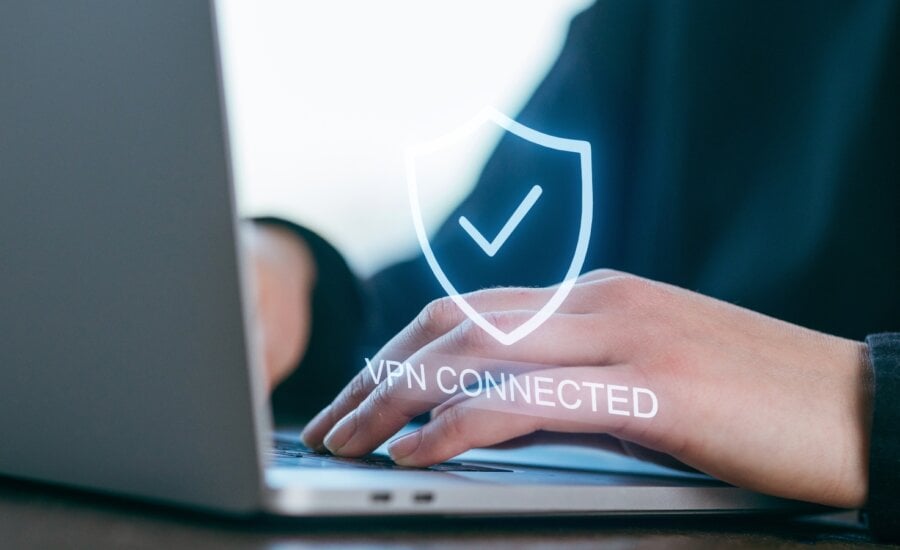
“A VPN creates a private, encrypted tunnel or channel between your device and the internet,” Howell says. “When you browse or exchange messages over public Wi-Fi, the VPN puts a lock on that traffic and potential snooping. The only person who can access it is you and your information can only go to its intended destination.”
It is not necessary to keep the VPN running all the time, Howell notes, though she personally does. You probably don’t need it when using your own password-protected Wi-Fi at home, for example. But you definitely want it switched on when accessing your financial accounts, paying for items, viewing health records, or dealing with other personal information while connected to public Wi-Fi.
What’s important to understand about VPNs, though, is that they are not comprehensive security tools. They only protect you from one kind of attack. You still have to think about other vulnerabilities and practice safe internet use.
“A VPN is not an antivirus replacement. It encrypts the traffic going back and forth, but if you fall for a phishing email or a scam or you click on a dangerous link, a VPN is not going to block that,” Howell says.
“A VPN cannot hide choices you make as a user when you go to sites, so you always want to think about data privacy and protecting your data.”
Don’t randomly accept cookies from sites you visit; instead only accept those cookies that allow you to do what you need to do. It’s also important to know that many sites sell the data obtained with cookies.
“And always beware of the free VPNs available online”, Howell says. Some monetize your free subscription by selling your browsing data or exposing you to pop-up ads. They may also be blocked by internet service providers or from websites. By contrast, trusted, paid VPN services from well-known providers will be registered with other internet players and have broad access.
If you travel or use public Wi-Fi with any frequency, a VPN is an essential line of defense against cyber criminals. But it’s not enough on its own. Antivirus software is just as important, if not more so.
Equifax offers a comprehensive digital security solution called Equifax Complete Protection, which includes the following to help protect you and your family:
Equifax Complete Protection brings together these services for $34.95 per month. “Together, this bundle is a lot more cost effective than if you wanted to buy these products individually,” Howell says.
Equifax Complete Protection is a credit and cybersecurity protection service designed to help Canadians spot the signs of identity fraud faster.
Subscription price: $34.95 per month
Share this article Share on Facebook Share on Twitter Share on Linkedin Share on Reddit Share on Email


Here's everything you need to know when a company you've invested in does share buybacks.

Federal budget 2026 includes several tax and investment measures, but how do they affect the average family?

Federal budget 2026 has introduced tax measures around growth and simplifying Canada's tax code. Find out the latest details.

Wealthsimple's new AI assistant, Penny, can help with everyday banking, investment trades, and financial insights, but users must approve...

From Shopify's revenue growth to Suncor's higher dividend, here's what happened in Canadian markets over the last week.

A new Money Mentors survey revealed that 53% of self-employed workers used credit to cover everyday expenses because of...

Wealthsimple announced 12 products and features on Thursday. Some are available now; others won't arrive until 2027.

Accumulating ETFs don’t defer taxation, but they can simplify compounding in a portfolio focused on the long term.

Check out the remaining Ontario Trillium Benefit payment dates for 2026 and learn what determines how much money you...