
5 things to check in your CRA My Account
Your CRA My Account may hold uncashed cheques, credits, and tax info you’ve missed. Here are 5 key areas to get familiar with.


Advertisement
Your CRA My Account may hold uncashed cheques, credits, and tax info you’ve missed. Here are 5 key areas to get familiar with.

The Canada Revenue Agency (CRA) has moved to online mail for most of its correspondence with businesses. This signals a transition to electronic communication that may be coming in the future for all taxpayers. As more people sign up for the My Account service, here are some of the key things you can find in the portal.
The CRA has reportedly issued about $1.4 billion in taxpayer refunds and benefits that remain uncashed. And they are genuinely trying to give taxpayers their money.
When you log in to My Account, along the right-hand side, there is a tile called Uncashed Cheques. It allows you to view uncashed cheques that are at least 6 months old. These cheques could include old tax refunds, but amounts like GST/HST credits or Universal Child Care Benefits are common.
I have grown accustomed to checking it when I log in for clients and have found dozens of cheques going back several years—cheques that CRA is more than willing to reissue. You must sign a simple, one-page declaration with a witness and resubmit it to the CRA to receive a replacement cheque.
Down the left-hand side of the Navigation menu, you will see Accounts and Payments. Assuming you are up to date, you should see an income tax balance of $0.00, but it is not uncommon to see Available Payments as a credit that you can apply against tax owing or issued as a refund.
These payments can come from a number of things, including a misapplied payment or an unissued refund.
If you often owe tax and you remit instalments, you can also confirm your quarterly tax instalments requested and paid.
Deadlines, tax tips and more
If you click on Tax Returns from the home page or the left-hand side of the Navigation menu, you can see information about past tax filings. Scroll down and you will notice a section called Carryover Amounts.
Click on View Carryover Amounts to find information about capital gains and losses, tuition and education amounts, Canada Training Credit, and other deductions and credits. Especially if you do your own tax return, there may be amounts here that could lead to potential tax refunds.
Also located in the Navigation menu is your profile. You can click on it to see information about your tax profile, and it is prudent to make sure all the data is current.
Here you can add or edit your direct deposit information, and confirm or edit your authorized representatives (usually your accountant or past accountants), notification preferences, and security settings.
The security settings allow you to manage your CRA user ID, password, multi-factor authentication settings, and personal identification number. Two-factor authentication helps keep your social insurance number and tax data safe.
If you receive your CRA correspondence electronically, you will have to log in to get your CRA mail. Even if you have not, you can check out Mail under the Correspondence section in the Navigation menu on the left-hand side.
People sometimes miss CRA mail, and it can be important. Your Canada Carbon Rebate notice or your Statement of Account showing a zero balance may not require any action, but CRA often asks for information to support a claim on your tax return, or there might be useful information on a Notice of Assessment for your next tax filing.
The CRA has plenty of tax tidbits in their online portal. As part of their shift to less paper mail and more electronic correspondence, it is important to get used to using CRA My Account. If you are lucky, you might dig up a useful carryover amount that can save you tax, or a cheque you missed cashing in the past.
Share this article Share on Facebook Share on Twitter Share on Linkedin Share on Reddit Share on Email

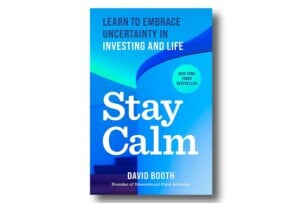
David Booth’s Stay Calm lays out the latest, highly convincing case for sticking to indexing and doing less as an investor.

We’re looking at how Bitcoin and various other cryptocurrencies have fared in the second half of 2026.

Credit Canada found that 68% of Canadians don’t know how much of their budget goes toward housing. Those who...

There are still unique advantages to spousal RRSP accounts, even after the advent of pension splitting.

Yes, you can execute this combination of mortgage repayment and investing using ETFs. Your options depend on risk and...

Some Canadians will receive a payment from Veterans Affairs Canada (VAC) on Monday, September 28, 2026. The governmental department...

Financial experts reveal the money mistakes they made in their 20s and the lessons they wish they had learned...

Some expenditures stand in for the work required to actually reach our goals. Think of those before you swipe...

When bond yields rise, the effects ripple through the rest of the economy, and Canadians should take note. ...

What retirement experts have to say now about surviving an untimely market crash.
I am wairing for more than 15 months for CRaa to refund me over 30,000$ due to and error amd oversight they made on my 2022 tax return … hopefully the can resolve this before Christmas. This is after waiting for more tjan 9 months for them to process the return.
I was told to submit a tax return to Quebec to get refunded for the income tax deducted by the federal government for the province of Quebec. … a place i have not resided since I was 17.
Last year the CRA finally approved mt DTC and backdated it 10 years. My Doctor sent this form back after many inquires. I have not worked in the last 10 years and asked my husband be assigned to this credit. That is not what the CRA did. I also had a minor child during those first 5 years.
Apperantly I had some outstanding $ owing from 16 years ago from GST and CCTB ($3000) and the CRA applied the credit to those debts and case closed.
Our accountant is unsure of how to gain the remainder or re-apply the unused credit portion to my husbands taxes. Seems we have hit a brick wall.
Any thoughts?
Most Sincerely,
Stacey Fox